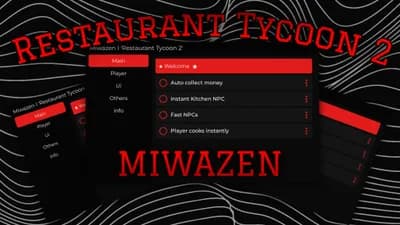
A lightweight cooking and interaction automation script for Restaurant Tycoon 2, featuring a compact and mobile-friendly interface.
Features
Instant Cook – Automatically completes supported cooking minigames by modifying cooking progress and input detection.
Instant Interact – Removes hold durations from supported ProximityPrompt interactions.
Single Toggle – Control both features simultaneously using one switch.
Mobile-Friendly UI – Designed for Delta Executor? on iOS, with mouse and touch support.
Draggable Window – Move the interface freely around the screen.
Minimize & Close – Collapse the interface or close it to restore modified functions and interaction durations.
No Key System? – No activation key required.
How to Use
Join Restaurant Tycoon 2.
Execute the script using a compatible executor.
Tap “Instant Cook” to enable both cooking and interaction features.
Tap the same switch again to disable both features.
Use the minimize button to collapse the interface or close it to stop the script.
Notes
Both features are controlled by the same switch.
The script initializes cooking modules asynchronously.
Compatibility may vary depending on the executor and game updates