Views: 296Executions: 86ExecutionsHow many times people ran this script. Copying it, downloading it or running it with the raw link all count. Max 10 per person a day.


Copy it, then tell others if it worked.
- Key required
- Mobile friendly
Advertisement
Advertisement
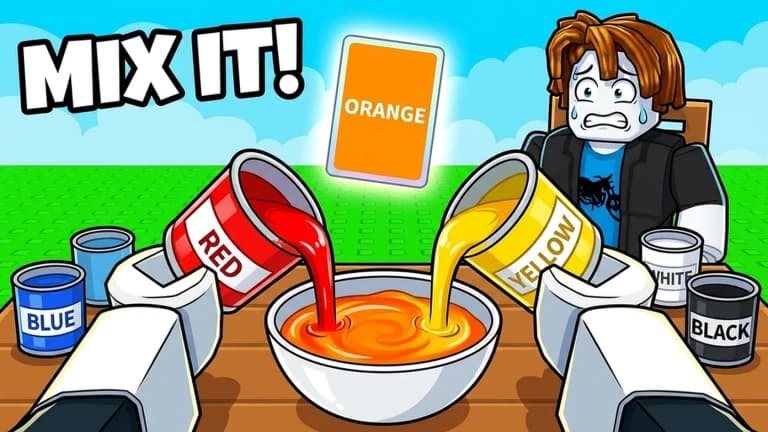
Automate the steps from reading the target color to submitting a paint recipe. Auto Play calculates a mix using red, yellow, blue, white, and black, then submits the selected result after your chosen delay. Auto Continue presses Play Again on the results screen to keep the session going. The interface shows the target, drop recipe, calculated accuracy, and round state. Session counters track rounds, perfect results, and average accuracy, while a separate rewards panel provides claim buttons.
·[+] Auto Play
·[+] Automatic Color Mixing
·[+] Smart Color Solver
·[+] 100% Color Accuracy (Shown Results)
·[+] Auto Submit Best Color
·[+] Auto Continue Rounds
·[+] Adjustable Submit Delay
·[+] Solve Current Round
·[+] Manual Submit Best Color
·[+] RGB Color Target Detection
·[+] Optimized Color Recipe Calculation
·[+] 3–12 Drop Combinations
·[+] Round Status Tracking
·[+] Live Color Accuracy Display
·[+] Color Recipe Preview
·[+] Round History
·[+] Session Statistics
·[+] Perfect Round Counter
·[+] Average Accuracy Tracking
·[+] Claim Daily Rewards
·[+] Claim Time Rewards
·[+] Claim Free Reward
·[+] Claim 3-Win Reward
·[+] Claim All Quests
·[+] Finish Tutorial
4.7out of 5 stars
1.8K reviews
100K+
Downloads
Share what works, ask questions, or report an issue.
No comments yet. Be the first to share your experience with this script.
Tap a chip for community notes
20 lines · 765 B





Advertisement